
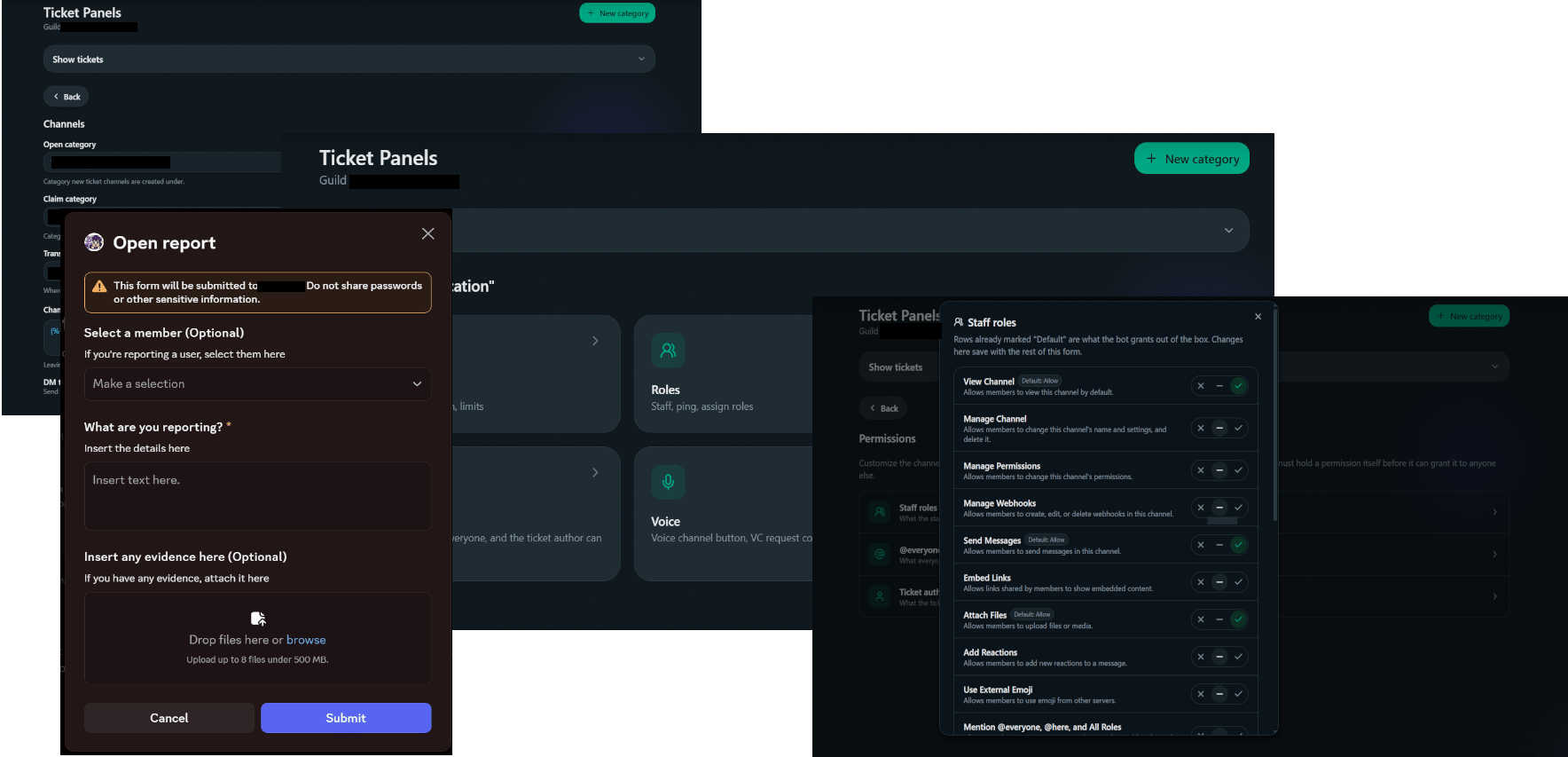
A ticket category configured on the better tickets dashboard
Best Discord ticket bots at a glance
1. better tickets: best overall Discord ticket bot
better tickets is built around a real web dashboard instead of a growing list of slash-command flags to memorize. Its ticket system includes:- Claiming, with per-button permissions. Claim, unclaim, close and voice-channel requests each get an independent staff-or-not toggle, an allow-list for specific extra roles, and a block-list, instead of one server-wide “staff” role deciding everything.
- Per-category staff roles, so a billing category and a bug-report category don’t need the same people watching them.
- Signed, verifiable transcripts, and auto-close for tickets with no reply or an author who already left.
- A structured intake flow, up to five typed questions (text, number, file, channel, user, role) asked before the channel opens.
- A jail system, applications, leveling, roleplay commands and a Components V2 message builder, all in the same bot.
- A free tier covering 4 ticket categories, 3 application categories and everything above, no card required. Paid tiers start at $3.99/mo.
2. Ticket Tool
Ticket Tool is the most established name here, running in millions of servers. Its free tier covers unlimited panels, transcript generation, support roles, and a 10-tickets-a-minute rate limit. Premium gates more than automation, it gates claiming itself. Free servers don’t get ticket claiming at all; premium adds claiming plus everything around it (claimed/unclaimed role automation, restricting who can unclaim, custom claim naming and categories), DMs on ticket open/close, a missing-user auto-close check, custom channel naming and role automation on ticket open/close, a private thread attached to each ticket, and custom open/close messages. There’s also an automation editor for conditional rules, still labeled alpha testing on their own dashboard (7-day max runtime, 5-minute minimum interval, and some watcher configurations are flagged as currently broken). Main consideration: claiming, the single most basic ticket-ownership feature, isn’t in the free tier at all.3. TicketsBot.org: cheapest paid tier of the group
Free is $0 forever, no card required: unlimited tickets across channels or threads, forms and up to 3 ticket panels, tags and support teams, HTML transcripts with automatic archives, 1-5 star user ratings, 2 SLA rules with 14-day logs, a web dashboard, and 8 languages. Premium is $1.99/month per server: unlimited ticket panels, footer-branding removal, analytics and statistics, autoclose for inactive tickets, live ticket messaging from the dashboard, custom embed colors, AI ticket summaries, support-hours schedules, and 1-year audit log and SLA log retention. Whitelabel is $5.99/month: everything in Premium plus your own dedicated bot instance, hosted 24/7, with a custom name, avatar and status. Main consideration: analytics and autoclose, two of the most-requested features for a growing team, both sit behind the $1.99/mo Premium tier rather than free.4. Tickets.bot: free ticket claiming at every tier
Ticket claiming, automatic ticket archives, forms, and unlimited tickets are all free here, no tier requires payment for the core workflow. Free caps out at 3 ticket panels and a single support-hours schedule. Premium is $2.99 per server/month (discounts available for multiple servers): unlimited panels and support-hours schedules, exit surveys, autoclose, custom commands generated from tags, custom embed color, live dashboard messaging, an analytics dashboard, knowledge-base branding, bulk ticket actions, and an awaiting-response ticket category. Whitelabel is $6.99/month: everything in Premium plus a fully custom bot name, avatar and status. Voting for the bot on top.gg also unlocks footer-branding removal and statistics access temporarily, at no cost. Main consideration: the free tier’s 3-panel and 1-schedule caps are tighter than TicketsBot.org’s free tier.Picking your setup
1
Decide what you actually need
Deep automation, per-button permissions, and free claiming are different priorities, pick the bot built around the one that matters most.
2
Check the free tier honestly
What’s gated vs. just limited, claiming specifically, before you commit.
3
Try it in one category first
See the Quickstart.
Quickstart
Live in five steps: invite, create a category, configure, send the panel.
Ticket settings
Every tab on a ticket category’s dashboard page, including per-button permissions.