Every leveling command in Better Tickets and its options. For how XP and levels work, see the leveling overview.
/level config
Links to the dashboard's Leveling settings page. Requires Administrator or Manage Server. See Leveling settings.
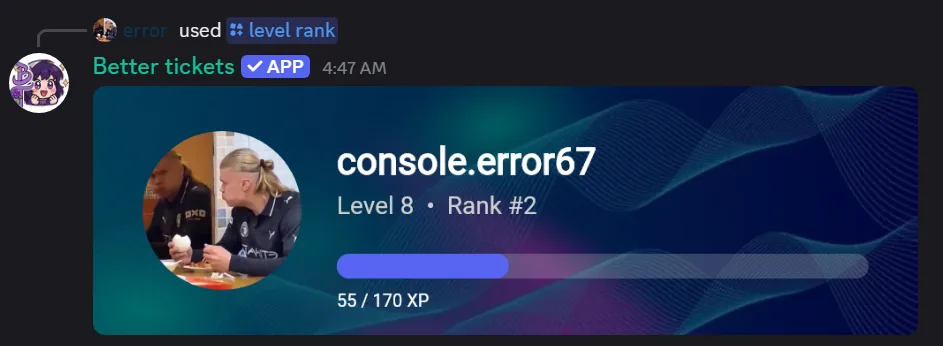
/level rank
Shows a rank card: level, server rank, XP progress. Image by default, embed:Yes for text.
useruserMember to check. Defaults to yourself.
embedstringYes for a text embed./level card Premium
Sets your own rank card background, if the server has premium and allows it.
imageattachmentMax 2 MB, compressed automatically. Leave it out and set
reset to remove your background instead.resetstringYes to remove your custom background./level leaderboard
Shows the server's XP leaderboard, ten per page. For search, larger pages, jumping to a page, or editing/deleting a member's XP, use the dashboard's Leaderboard page instead, see Leaderboard.