Command permissions let you decide who can use each Better Tickets command and where, beyond what Discord's own permissions allow. You set them on the dashboard's Advanced page, either for a single command or for a whole module such as Tickets. For how Discord's own permission system works underneath, see Discord permissions explained.
Command availability
Two switches turn message (prefix) commands and slash commands on or off for the whole server. For per-command control, use the rules below.
Command permissions
A rule targets a single command or a whole module (a group like all of Tickets). A command's own rule fully replaces its module's rule, they never merge.
Browse Modules or Commands (searchable) and click one to configure:
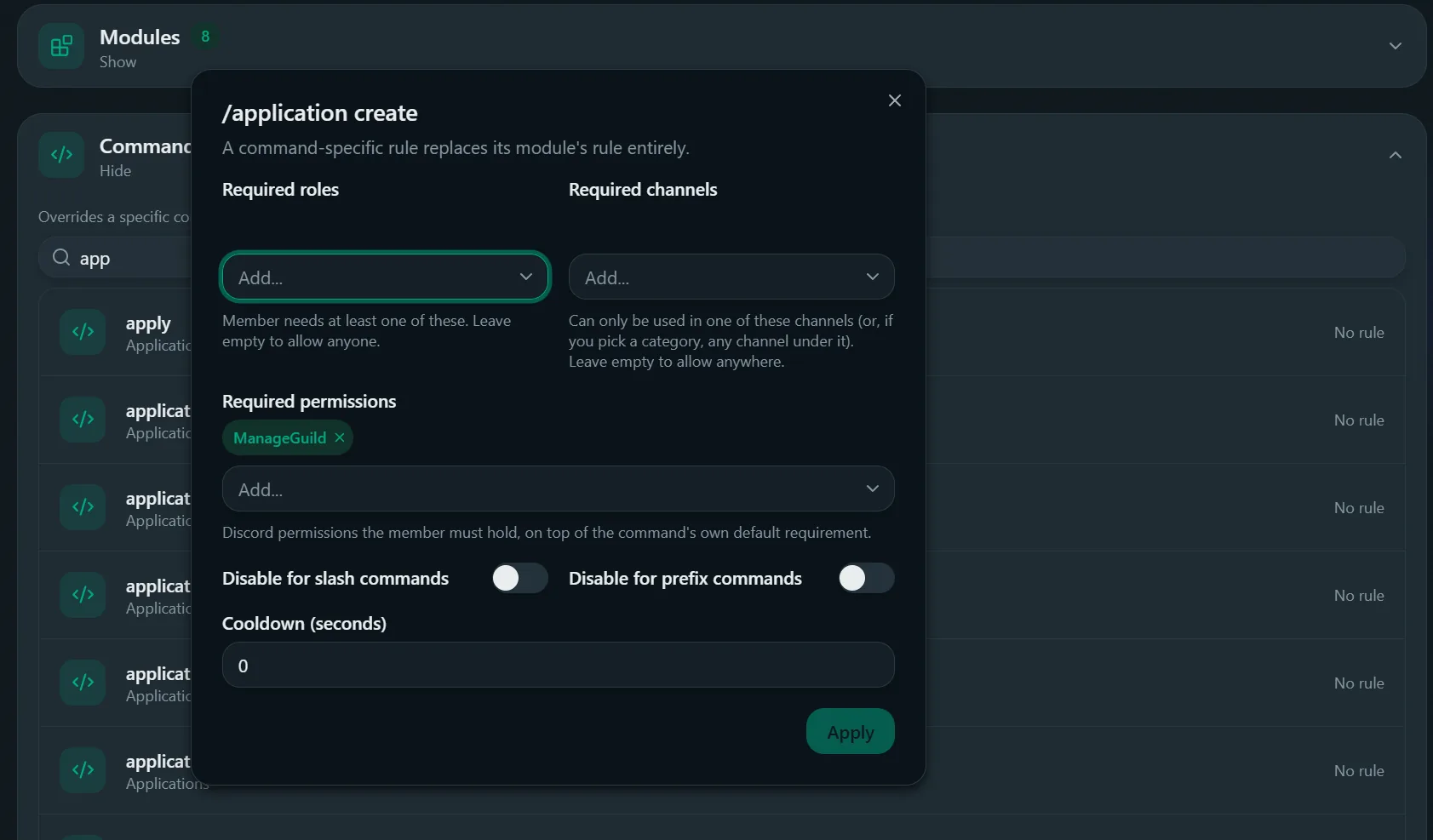
- Required roles: needs at least one. Empty allows anyone.
- Required channels: only works in these. Pick a category to require any channel under it. Empty allows anywhere.
- Required permissions: Discord permissions needed. Left empty, this normally falls back to the command's own built-in requirement, unless you've also set required roles or channels, in which case those are treated as the complete gate and the built-in requirement is skipped.
- Disable for slash commands / Disable for prefix commands: turns off just this rule's scope for one invocation style.
- Cooldown Premium: wait time between uses. Anything above 0 needs Plus or Max.
Default fields mean no restriction. Use Clear override to remove a rule instead of emptying every field.
The page shows how many rules you've used out of the total allowed. The total, and how many roles, channels and permissions a rule can hold, depend on your plan, see Premium.
Example: restrict a command to one channel
Open Advanced → Commands
Set Required channels
Apply, then save