Roleplay is configured on the dashboard's Roleplay Config page. This page explains each field. For how commands, reciprocation and stats work, see the roleplay overview; for every action, see the roleplay command list.
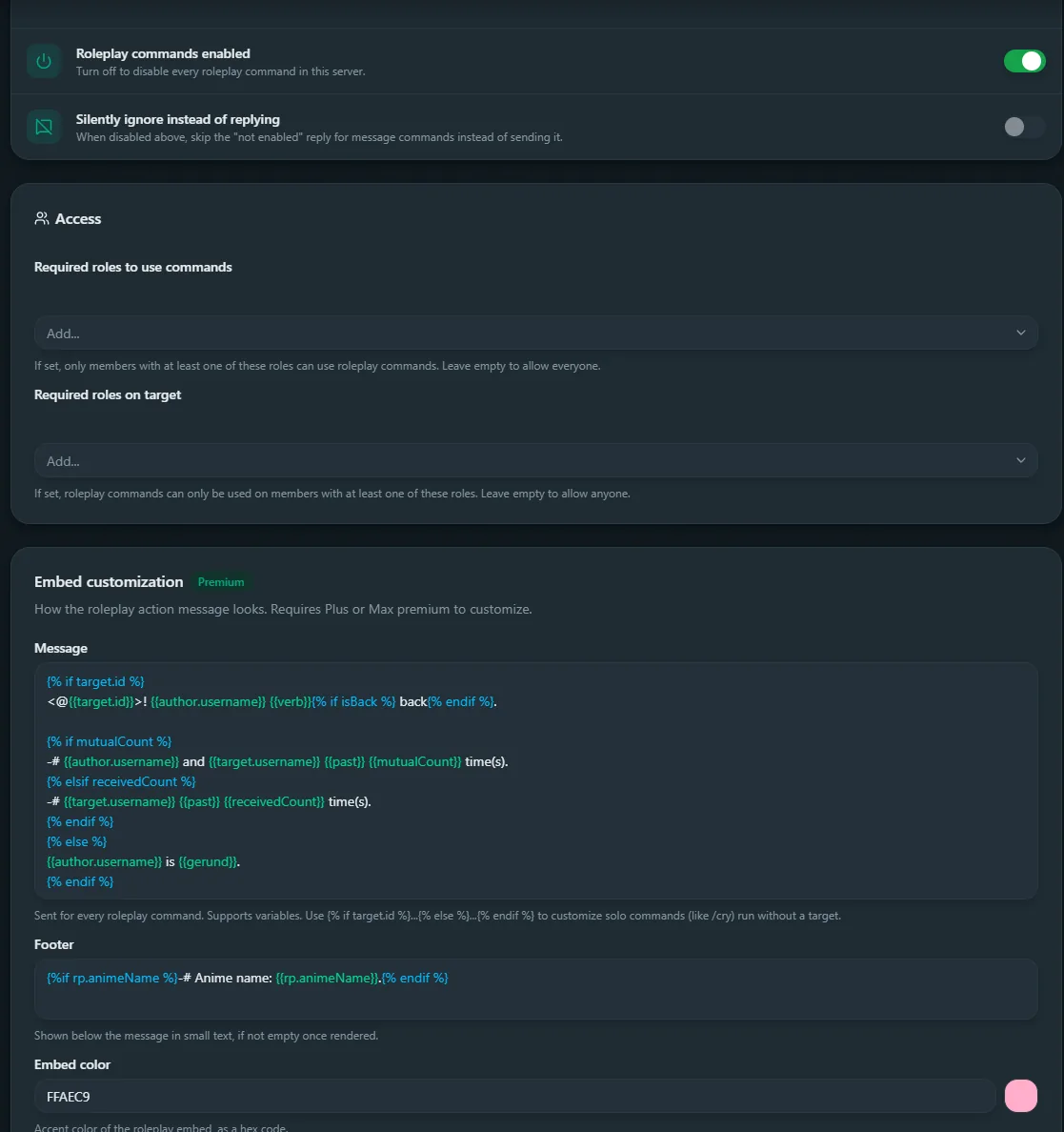
- Roleplay enabled: on/off for the server. On by default.
- Silent reply when disabled: suppresses the "not enabled" reply for slash commands only.
- Required roles: only members with one of these can be targeted.
- Roles required to use commands: only members with one of these can run commands.
- Message template Premium: overrides the action text. Supports variables plus roleplay variables like
{{verb}}and{{mutualCount}}. Use{% if target.id %}...{% else %}...{% endif %}for solo commands. Up to 1,500 characters. - Footer text Premium: overrides the small text under the image. Up to 500 characters.
- Embed color Premium: HEX accent color, without
#. Pick one with the Discord color picker.
Servers without premium, or without a custom message, use the built-in defaults shown in variables.
"Required roles" gates who can be targeted. "Roles required to use commands" gates who can run them. They're easy to mix up, so double-check which one you set.