Open Tickets → Ticket panels → Edit. The editor keeps settings in one workspace: Ticket setup covers Basics, Roles & team and Channels; Member experience covers Opening questions, Messages and Buttons & actions; Rules & automation covers Ticket behavior, Permissions, Automation, Support hours and Voice support. Select a tile to edit that section inline, then use All settings to return to the groups. Changes stay in the form until you save or discard them. Jail uses only the settings relevant to staff-created cases.
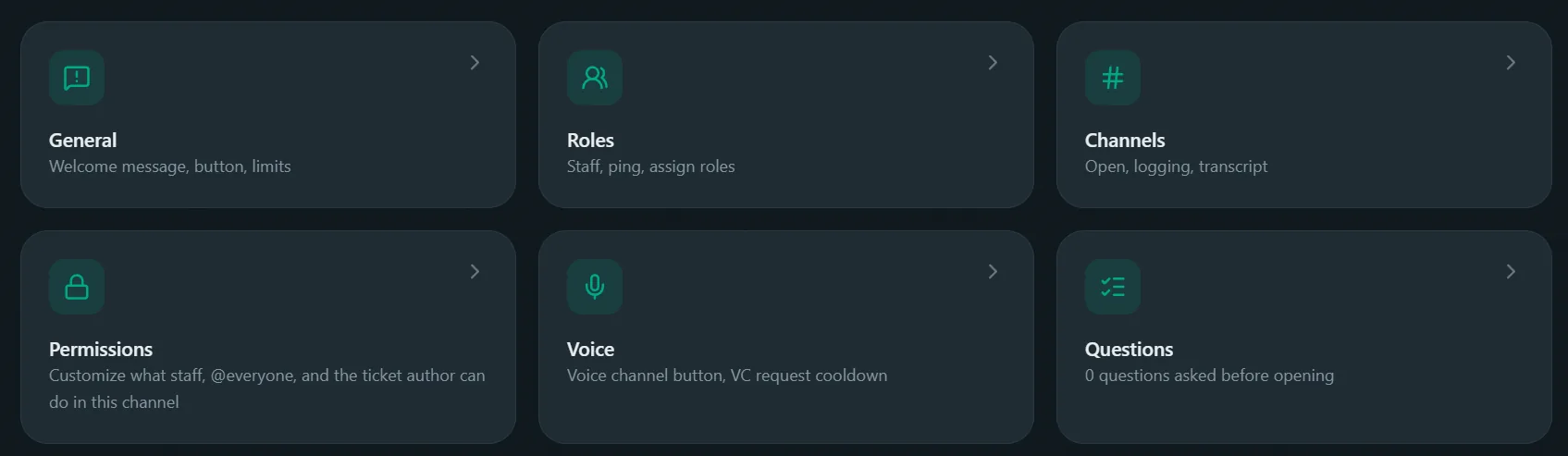
General
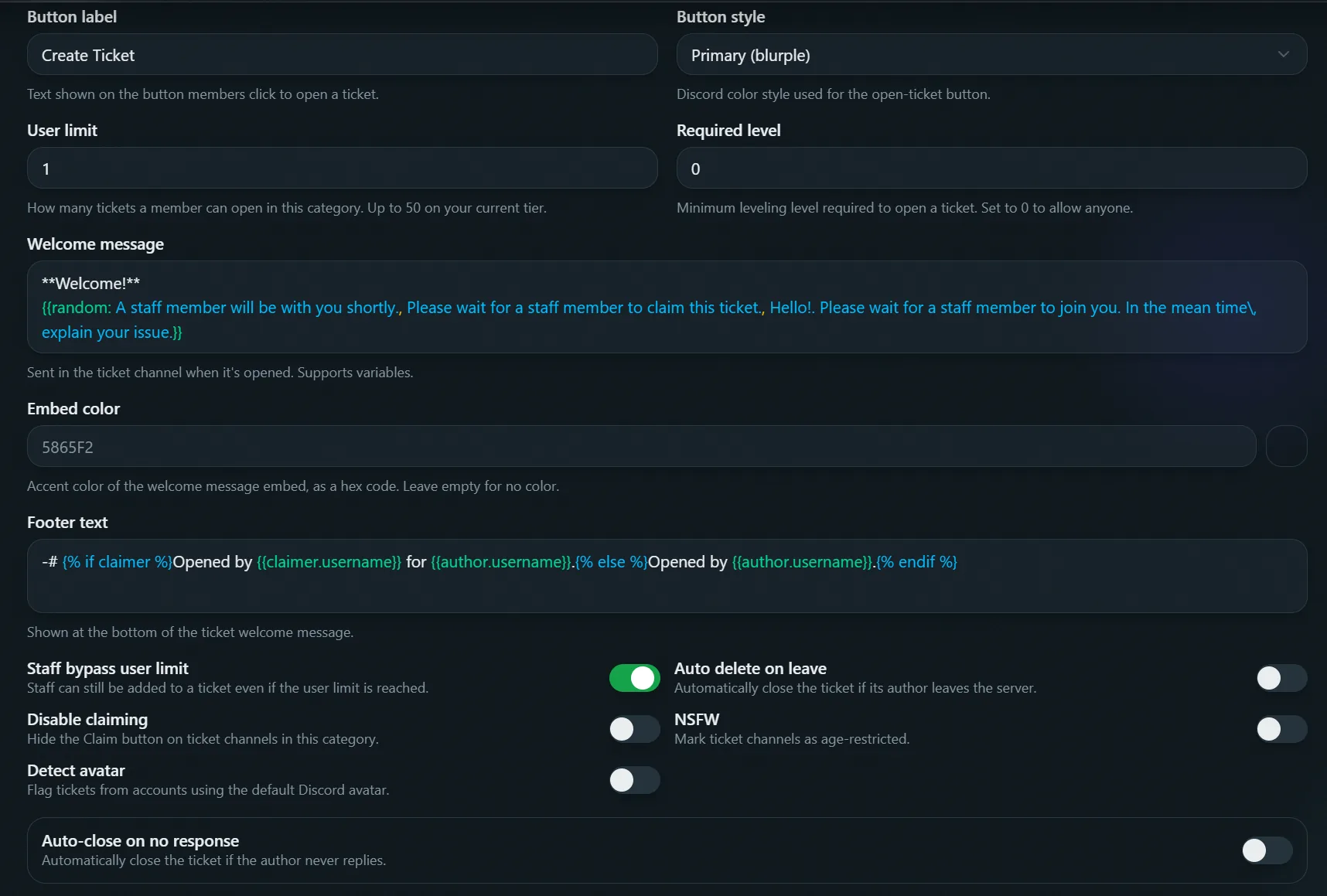
- Button label / style: the panel button's text and color.
- User limit: max simultaneous open tickets per member (up to 100). Set
1to block duplicates. - Staff bypass user limit: lets staff ignore that cap.
- Detect avatar: blocks opening a ticket if the member has no profile picture (basic anti-alt check).
- Required level: minimum level to open here, only enforced while Leveling is on.
- Close modal: title, reason field label and placeholder for the modal staff fill in when closing, plus whether a reason is required. Applies to jail too.
Automation
Not shown for jail, jail tickets always close, transcript and delete.
- Close behaviour: what happens when a ticket is closed, from
/close, the Close button, or an auto-close trigger below.- Close, transcript, and delete: the default, archives a transcript (if configured) then deletes the channel.
- Close (not delete): keeps the channel, strips the author's View Channel and Send Messages access, and posts a message with Delete/Transcript/Reopen buttons instead. Nothing is transcripted upfront:
- Transcript: generates the transcript (once; a second click just re-confirms) and sends it to the same places a normal close would, the category's transcript channel and/or the author's DMs, whichever are configured, then privately confirms to whoever clicked it. Limited to once every 60 seconds per ticket.
- Delete: deletes the channel immediately, no transcript is ever generated.
- Reopen: restores the author's access and reopens the ticket. The close message itself is edited to note it's no longer active, rather than posting a separate message.
- Close and delete, no transcript: deletes the channel, no transcript ever generated.
- Auto-delete after (kept-open tickets only): closing with the button or command, leaving the server, and no response each have their own delay. If set, the closed channel is deleted after that trigger's delay, with a transcript first if configured. Leave a delay empty to never auto-delete tickets closed that way.
- Auto delete on leave: automatically closes a member's open ticket when they leave the server.
- Auto-close on no response: automatically closes a ticket after a set time of author silence.
Both auto-close triggers default to using the category's Close behaviour above, but each can be overridden independently to a different behaviour, pick "(Same as Close behaviour)" to keep following whatever's set above instead of a fixed choice.
Messages
Every message a ticket sends, in one place: Ticket opened (welcome message, footer, supports variables including {{random: ...}} to rotate phrasing), Claimed and Unclaimed (jail-only categories skip these two, jail tickets can't be claimed), Escalated, Member added, Member removed, and Close message (kept open) (posted instead of a transcript when Close behaviour is "Close (not delete)", not shown for jail). Each one is a collapsible card with its own text, color, and the exact variable list that message actually renders, no unused placeholders.
Every message also has its own Buttons picker: choose which buttons show on that specific message and in what order, up to 5. By default only Ticket opened (Claim, Close) and Close message (kept open) (Delete, Transcript, Reopen) have any, the other four start empty. Picking a button here doesn't create it, it's just choosing where an already-configured Buttons card renders.
Buttons
Every button a ticket channel can show, configured independently: Claim, Unclaim, Close, VC request, VC approve, VC deny, Delete, Transcript and Reopen. The last three only ever show on the "kept open" close message (see Automation), and only if that message's Buttons picker includes them. Click a card to edit one:
- Grey out button: keep it visible but unclickable instead of hiding it.
- Button text and emoji: overrides the default label, pick any server or Unicode emoji.
- Button style: Discord's four button colors.
- Allow the ticket author: lets the person who opened the ticket use this button, even though they aren't staff.
- Allowed roles: by default, staff and these roles can both use the button.
- Restrict to allowed roles only: ignores staff entirely, only the roles in Allowed roles qualify.
- Disabled roles: always blocked from this button, even if it's staff.
Whether a button shows at all is decided per-message by that message's Buttons picker in the Messages tab, there's no separate show/hide toggle here anymore. VC approve and VC deny are the exception, they're fixed to the VC-request decision message and aren't part of any picker.
Disabling the underlying action (claiming, unclaiming, or voice channels not being enabled on the Voice tab) doesn't hide the button anymore, either. It stays visible and replies with why it can't be used, so members get a clear answer instead of a missing button.
Roles
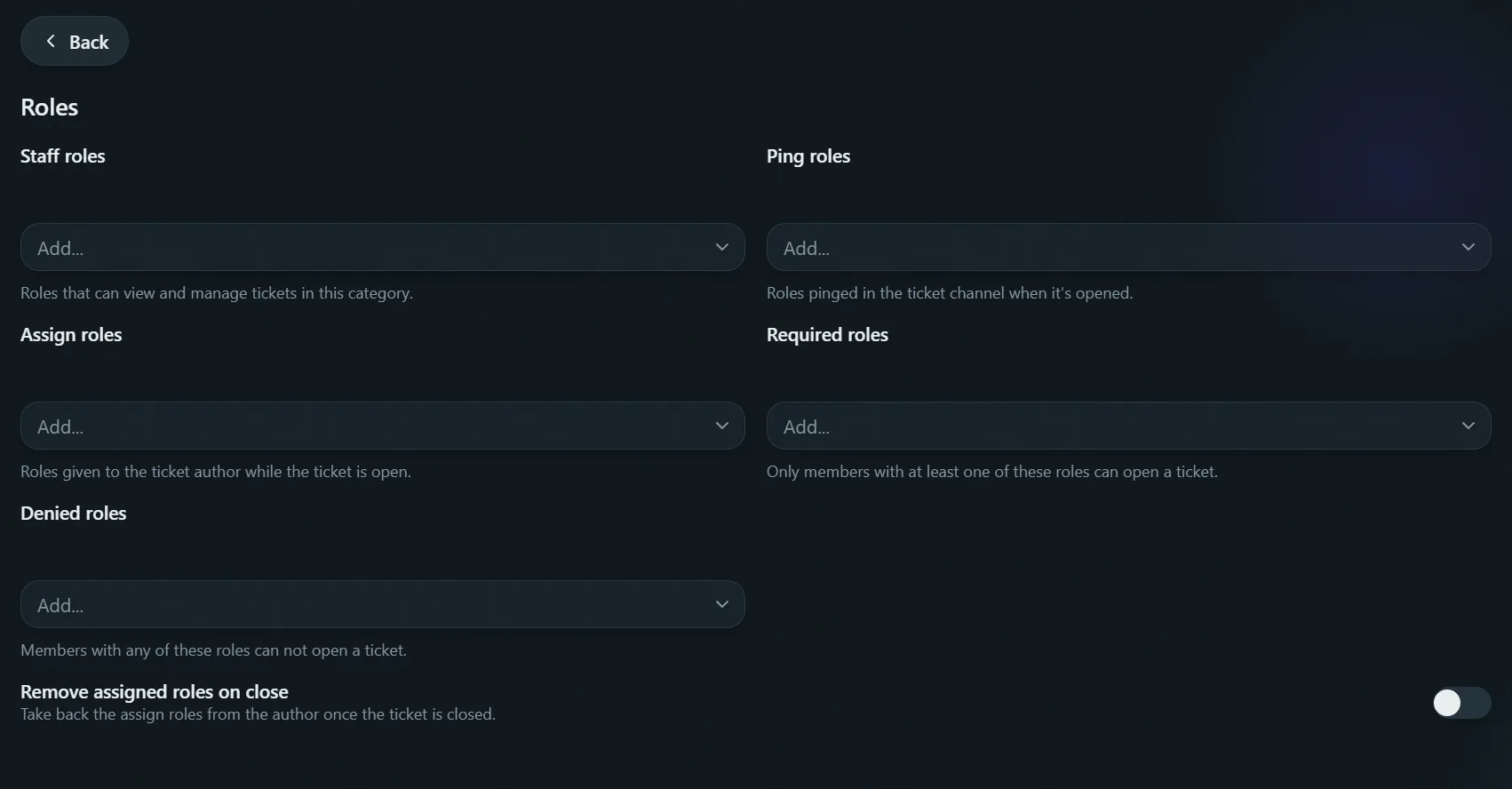
How many roles each list can hold depends on your server's plan, see Premium.
- Staff roles: can claim, close, add/remove, rename, escalate. Without one, only admins can.
- Ping roles: pinged when a ticket opens.
- Required roles: must have one to open here.
- Denied roles: blocked from opening here.
- Assign roles (Jail roles on a jail category): given while the ticket's open, removed on close. On a jail category, this is the role applied by
/jailitself.
On a jail-linked category, this tab also has Sync role permissions: denies View Channel and Send Messages for the jail role(s) on every channel in the server, so a jailed member can't just switch channels to keep talking. It only touches channels without an existing entry for that role, can take a while on large servers, and doesn't undo automatically.
Channels
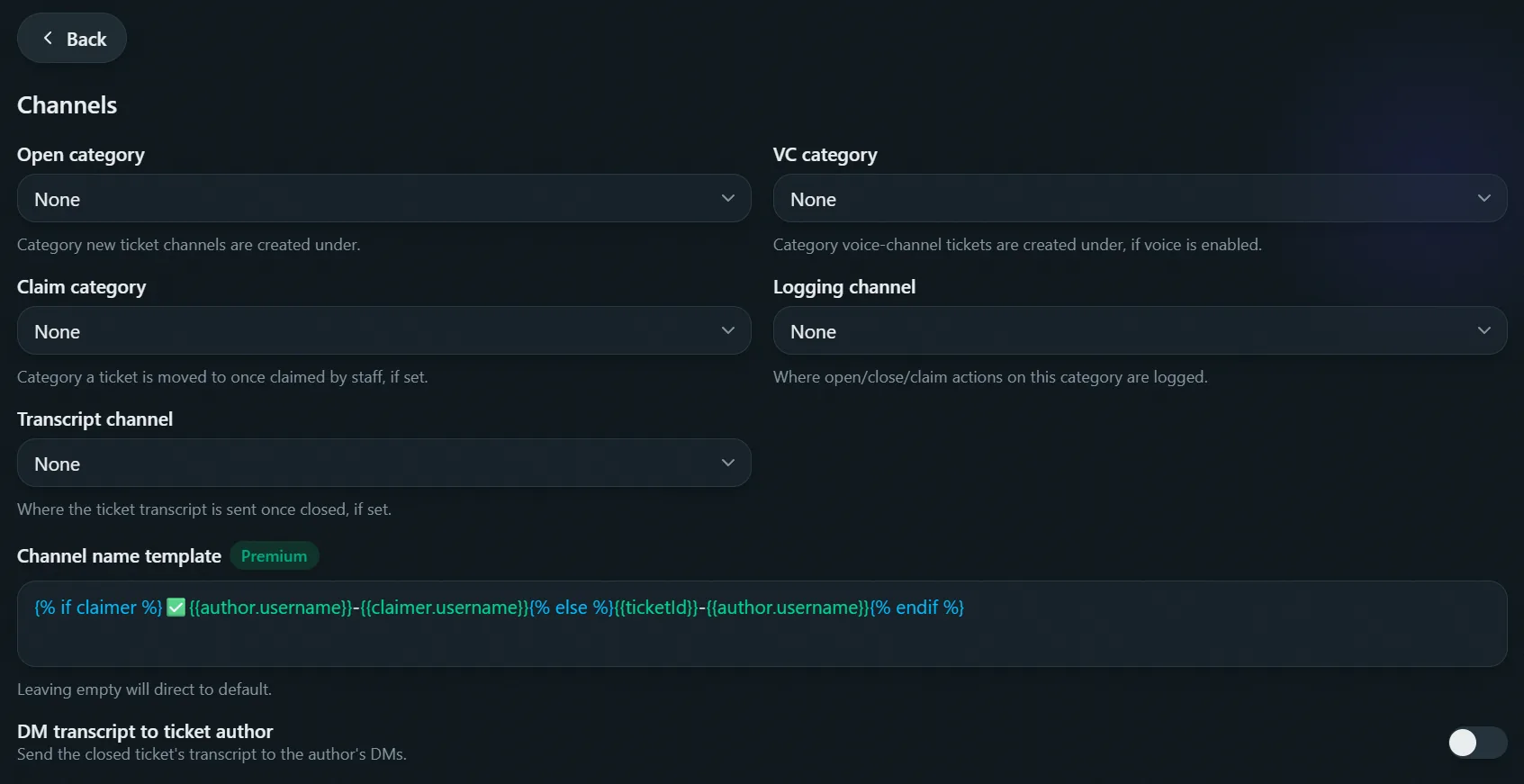
- Open category (Jail category on a jail category): where new ticket channels are created. Required.
- Claim category: moves a claimed ticket here, if set.
- Transcript channel: where closed transcripts get posted.
- DM transcript to author: also sends the transcript to the author's DMs.
- Logging channel: open/close/claim/release events, separate from the transcript.
- Channel name template Premium: custom naming via variables, including
{% if claimer %}...{% endif %}.
Permissions
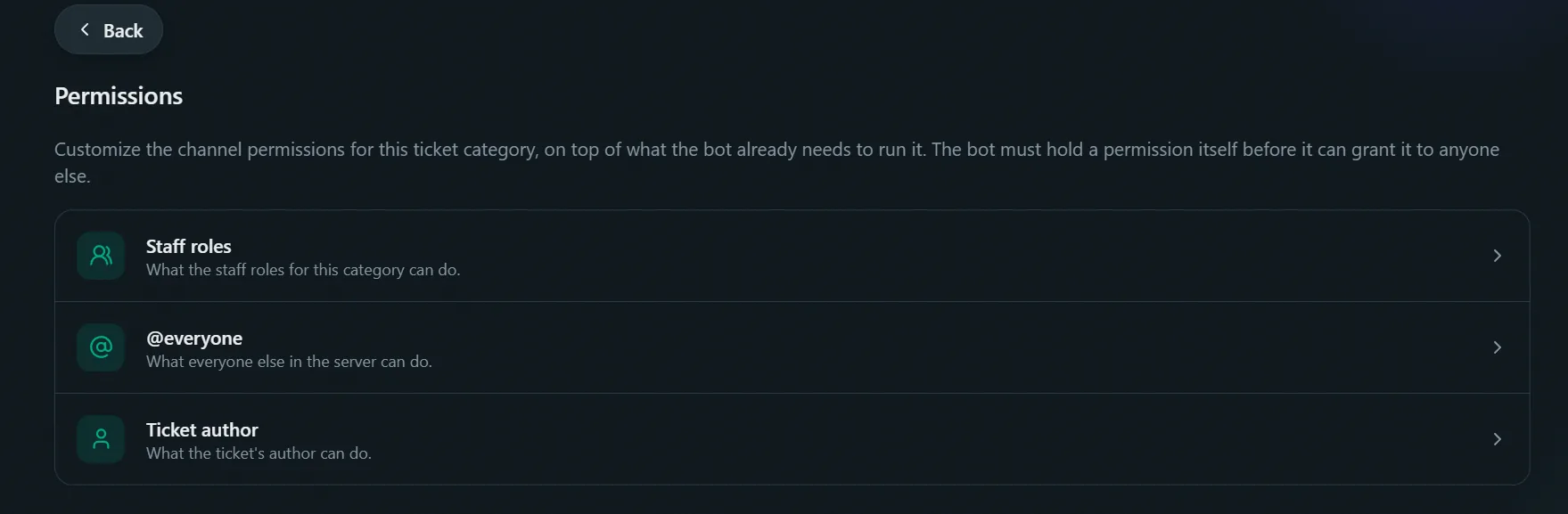
Fine-tune what staff, @everyone and the ticket's author can do in this category's channels, on top of what the bot sets up automatically. Applies to both the text channel and its voice channel (if enabled).
Click Staff roles, @everyone or Ticket author (Jailed member for jail) to edit. Every permission starts on whatever the bot sets by default, shown as a Default: Allow/Deny badge, until you choose otherwise:
- Allow: grants it, overriding a default deny.
- Deny: removes it, overriding a default allow.
- Neutral: overrides the default entirely, this permission is neither allowed nor denied by the bot, so it falls through to the member's normal server roles instead.
Leave everything at default to keep the bot's normal behavior. The bot won't grant a permission it doesn't hold itself, it tells you which one is missing instead of saving a broken change.
Voice
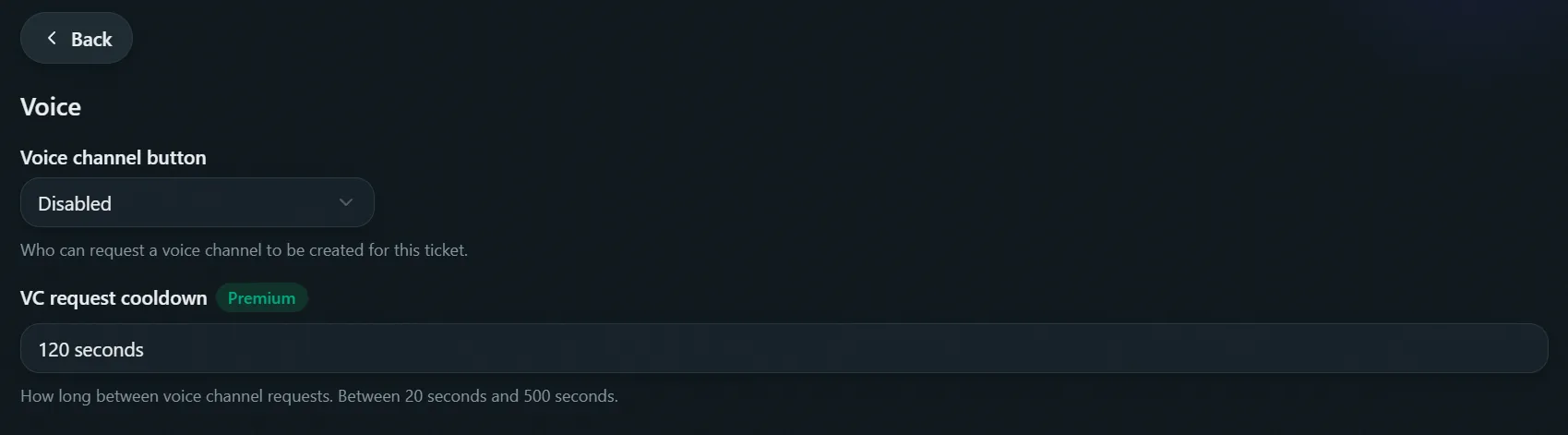
Lets the author or staff spin up a temporary voice channel for the ticket. Not shown for jail.
- Voice channel mode: Off, Staff only, or Ticket author. Off means the VC request button never does anything, even if you've turned it on in Buttons.
- VC request cooldown Premium: time between requests, ticket author mode only.
- VC category: where requested channels are created.
The VC request button posts a staff-facing Approve/Deny prompt instead of creating the channel outright, whether staff or the author triggered it. Text, style, emoji and per-role permissions for all three VC buttons (request, approve, deny) live on the Buttons tab.
Voice channels are always deleted when the ticket closes and never logged in the transcript.
Schedule
Limit when members can open tickets in this category, for example only while your support team is online. Not shown for jail, because jail tickets are created by staff or auto-jail.
- Enable schedule: off by default. Every other setting on this tab does nothing until this is on, existing categories are unaffected until you opt in.
- Timezone: the hour grid below is local to this.
- Support hours: a 7×24 grid, Monday through Sunday. Click an hour to toggle it, or a day's name to toggle the whole day. Green means open. Today (in the selected timezone) is highlighted.
- Bypass roles: can always open a ticket here, regardless of the schedule. This is a separate list from staff roles: staff aren't exempt unless you add their role here too.
- Notification message and color: shown instead of opening a ticket when outside the scheduled hours and not covered by a bypass role. Plain text, doesn't support variables.
This only gates opening new tickets, through the panel button and /open. It doesn't touch tickets that are already open, and doesn't edit the panel message itself.
Questions
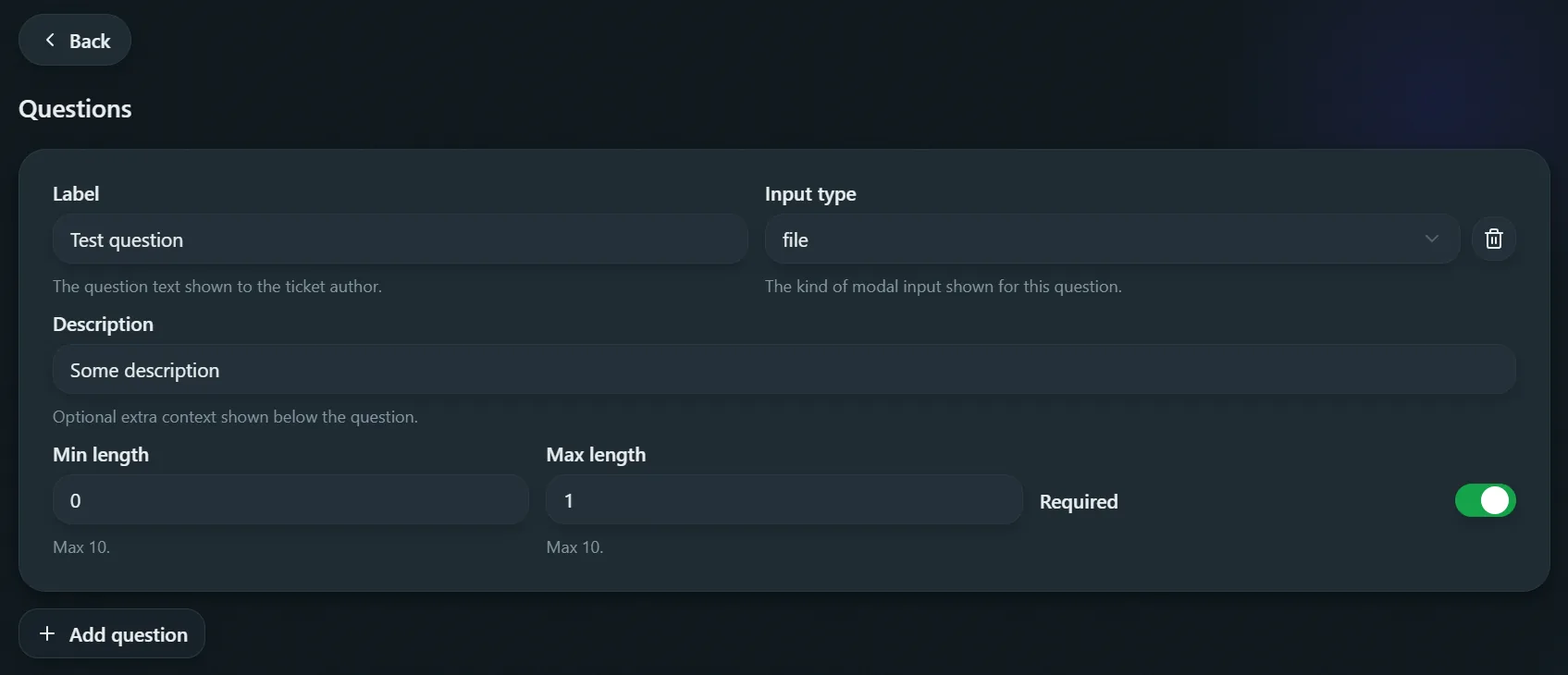
Up to five questions, asked in one modal before the channel opens. Not shown for jail (opened by staff, not a member flow). Eight input types:
- Short text / Paragraph: free text, own length range.
- Number: validated as a number.
- Select menu: up to 25 options, 1-8 picks.
- User / Role / Channel: live Discord pickers, up to 8 picks.
- File: up to 10 files, 8MB each. Images/videos show inline.
- Allowed file types: restrict uploads to specific extensions (e.g.
png,pdf), no dot. Leave empty to allow any file type. - Spoiler uploaded files: blurs images and videos in the gallery until clicked.
- Allowed file types: restrict uploads to specific extensions (e.g.
Each question also has a Label, optional Description, and Required toggle.
The five-question cap comes from Discord, which allows at most five fields in a modal. Staff applications don't have this limit because they ask one question at a time in DMs, see application questions.