A safe Discord staff application system collects applications privately, only lets eligible members apply, blocks duplicate and spam submissions, and limits who can see and decide on them. You can build one with a form and a lot of manual work, or with an application bot that enforces those rules for you. This guide covers what makes an application process fair and safe, then shows how to set it up in Better Tickets.
What can go wrong with staff applications
Most servers start with a form link pinned in #applications. It works until a few problems pile up:
- Duplicates and spam. Nothing stops someone submitting five times, or reapplying a minute after being denied.
- No eligibility checks. Anyone can apply, including brand-new accounts and members you've already banned from staff roles.
- Private data in the wrong place. Answers can include ages, time zones and contact details. If the results sheet is shared loosely, that information leaks.
- No record of decisions. Nobody knows who accepted whom, or why.
- Manual onboarding. Accepting someone still means an admin remembering to give them roles.
Principles of a safe application process
- Keep answers private. Only the people who make decisions should see applications, in a channel or sheet no one else can open.
- Check eligibility before the form opens. Block members with certain roles, members who already have an application in progress, and people who were just denied.
- Ask for as little personal data as you need. A time zone is useful; a real name or age usually isn't. Remember that Discord's Terms require users to be at least 13 (or older in some countries).
- Record every decision. Who decided, when, and the reason.
- Automate the roles. Giving the staff role on acceptance removes a whole class of mistakes.
Write questions that tell you something
Good questions are specific and hard to answer with filler:
- Availability: "Which days and times are you usually online? What's your time zone?"
- Experience: "Have you moderated a community before? What did you handle?"
- Scenarios: "Two members are arguing and it's getting personal. What do you do first?" and "A member DMs you a screenshot accusing another staff member. How do you handle it?"
- Judgment: "Which of our rules do you think is most often broken, and why?"
Keep the whole form to about 5 to 10 questions. Long forms mostly filter for patience, not ability.
Set up staff applications in Better Tickets
Better Tickets runs applications inside Discord. The bot asks each question in the applicant's DMs, one at a time, and posts the finished application to a private review channel with Accept and Deny buttons.
Create an application category
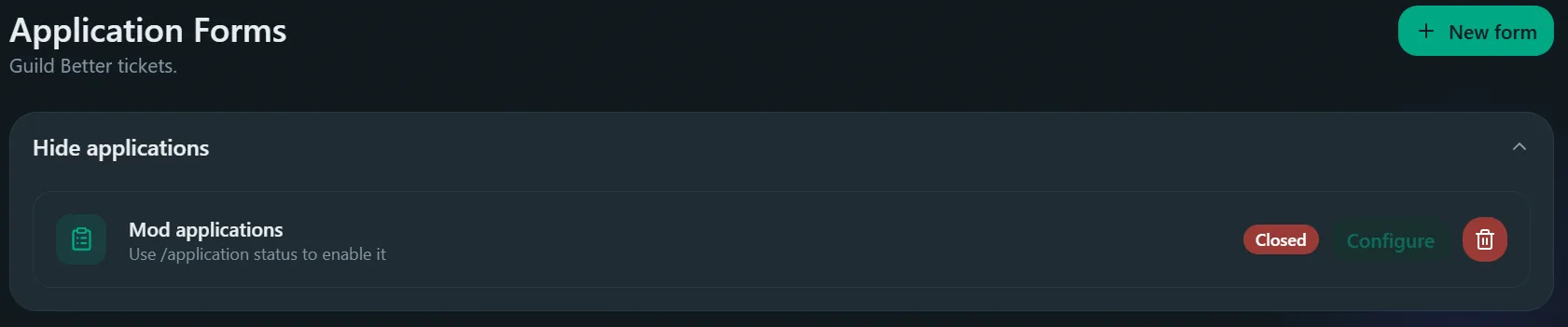
In the dashboard, open Applications → Forms and click New category, for example staff-team.
Set the review channel and reviewers
Under Channels, choose a submission channel that only reviewers can see. Under Roles, add the roles that may accept or deny as staff roles, and any role that should be notified as a ping role.
Add your questions
On the Questions tab, add each question as free text (with a length range) or a select menu with your own options. Because questions are asked one at a time in DMs, there's no five-question limit like a Discord pop-up form (modal) has.
Automate the roles
Use Assign on accept to give the staff role automatically, Remove on accept to take away an applicant role, and Blacklisted roles for members who may not apply.
Post the Apply button
Use Send panel on the category page, or the message builder, to post the panel in your applications channel.
How Better Tickets blocks duplicate and spam applications
Before an application opens, Better Tickets runs these checks in order and stops at the first match:
- The member has a blacklisted role: they can't apply.
- They already have an application in progress anywhere: they must finish or cancel it first.
- They have a submitted application awaiting review in this server: they wait for a decision.
- They were denied recently in this category: they wait for the reapply cooldown, 3 days by default, and are told when they can apply again.
What reviewers see
The submission shows every answer with Accept and Deny buttons. Staff can also use /accept and /deny. When someone decides, the message updates in place: the buttons disappear, the color changes and a footer records who decided. The applicant gets a DM with the result. By default a deny needs a reason, which is included in that DM.
If you interview applicants, set a linked ticket category so reviewers get an Open Ticket button that opens a private ticket with the applicant.
After you accept someone
- Give them only the permissions they need. New moderators rarely need Ban Members on day one. Discord permissions explained shows how to structure staff roles.
- Write down expectations. A short staff guide with your rules and escalation steps saves arguments later.
- Review decisions regularly.
/application statsshows how many applications were submitted, accepted and denied over a period.
Frequently asked questions
How do I make staff applications on Discord?
Use an application bot or a form linked from a channel. A bot is safer: it can check who is allowed to apply, block duplicate submissions, post answers to a private review channel and give roles when someone is accepted. With Better Tickets you create an application category in the dashboard, add questions and post an Apply button.
Is a Google Form good enough for staff applications?
For a few applicants it works. It can't check a member's roles or stop them resubmitting straight after a denial, it doesn't record which staff member made the decision, and accepting someone still means giving them roles by hand.
What questions should a staff application ask?
Ask about availability and time zone, relevant experience, and two or three scenario questions such as "A member is spamming slurs in general chat; what do you do?". Scenario answers tell you far more than "Why do you want to be staff?".
How do I stop people from spamming applications?
Allow one open application per person, add a cooldown after a denial, and blacklist roles that shouldn't apply. Better Tickets does all three: it blocks a second application while one is in progress or awaiting review, and makes denied applicants wait (3 days by default) before trying again.
Who should be able to review applications?
Only the people who make hiring decisions, usually admins or senior staff. Keep the review channel private to them, because applications can include personal details.
Should I tell applicants why they were denied?
A short, respectful reason helps people improve and cuts down on arguments. Better Tickets asks for a deny reason by default and sends it to the applicant in a DM.