A Google Form pinned in #applications works until a server has more than a handful of applicants a week. Then it falls apart the same way every time: nothing stops someone from submitting three times, there's no record of who reviewed what, and accepting someone still means manually going and giving them a role. An application category fixes all three, and it takes about the same five minutes as setting up a ticket category.
Why a pinned form isn't enough
- No eligibility checks. Anyone can resubmit immediately after a denial, or start a second application before the first is reviewed.
- No review trail. A form response doesn't record who accepted it, when, or why.
- No follow-through. Accepting someone in a spreadsheet doesn't give them a role, ping anyone, or open a channel to onboard them.
How to set up a Discord staff application system (2026)
Create the category
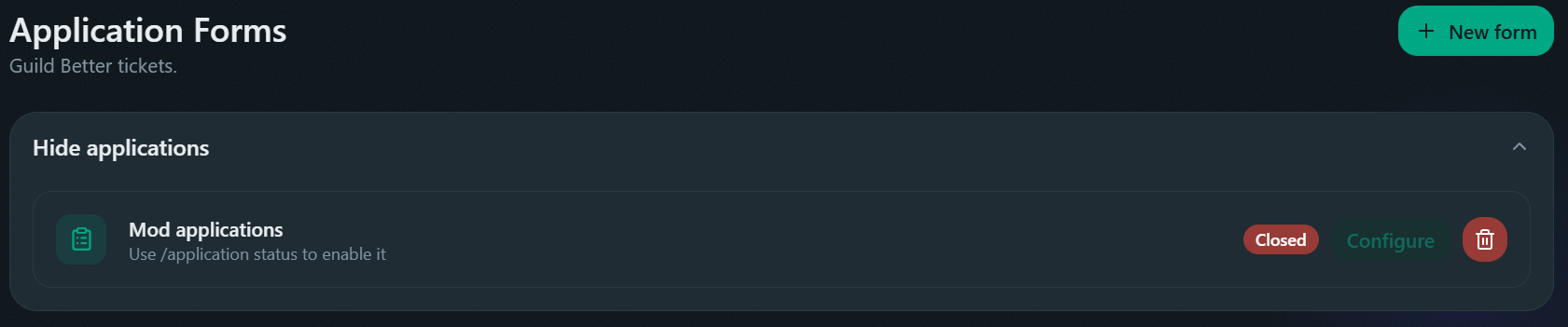
Dashboard's Applications → Forms page → New category. The name is the only field you can't change later.
Set a submission channel and staff roles
Both live on the category's Configure page. A submission channel and at least one staff role are the only two required fields.
Add questions
Label, input type (short text, long text, number, file, channel, user, role, or select), required or not. Skip this entirely and applying submits immediately, no DM conversation at all.
Send the panel
Click Send panel right on the category's own Configure page for a quick embed editor, or use the full Message builder if the panel needs to sit alongside other content.
Eligibility rules that stop duplicate applications
Before an application even opens, four checks run in order, first match wins:
- Blacklisted role → blocked outright.
- An application already in progress, anywhere → blocked, a member only gets one DM conversation at a time.
- A submitted application awaiting review, this server → blocked until it's decided.
- A recent denial, this category → blocked until the reapply cooldown passes (3 days by default, configurable on premium).
Accepted applications never trigger a cooldown, so re-applying after being accepted elsewhere isn't blocked.
What happens after someone applies
- Apply. They click Apply on the panel or run
/apply category:<name>. - Questions. The bot DMs them one at a time.
cancelstops the application,--skipskips a non-required question, and a review screen shows every answer with a jump-back menu before final submit. - Submission. Posts to the submission channel with the answers, Accept/Deny buttons, and an Open Ticket button if one's configured.
- Review. Staff click Accept/Deny, or run
/accept//deny, with an optional reason. The message updates in place instead of staying static: buttons disappear, the color changes, a decided-by footer gets added. - Notification. The applicant gets DMed the result, if Notify user on decision is on (it is, by default).
Reviewer roles, not just "staff"
A single "Staff" role deciding everything doesn't scale once recruitment and moderation are different teams. Application categories split it up:
- Staff roles - can review, accept, deny.
- Ping roles - get pinged on submission, don't need review permission themselves.
- Assign on open / Assign on accept / Remove on accept / Assign on denial - automatic role changes at each stage, so accepting someone can hand them the role directly instead of a staff member remembering to.
- Blacklisted roles - can't apply at all.
See Application settings for the full field list.