Ticket Tool's biggest limitation isn't a missing feature buried in a settings tab, it's that claiming, Scheduling, and other features, isn't in its free tier at all. That's usually the actual trigger for looking at alternatives, so it's worth being specific about what changes and what doesn't when moving off it.
The gap that usually forces the switch
On Ticket Tool's free tier, there's no way to mark a ticket as "someone's handling this." Every claimed/unclaimed automation, restricting who can unclaim, custom claim naming, all of it sits behind premium along with claiming itself. A team that's outgrown "just reply in the channel" hits this immediately.
What's the same conceptually
The category → staff role → transcript model carries over directly. If you've configured Ticket Tool before, better tickets won't feel foreign: a category still needs a staff role and somewhere for tickets to open, closing still produces a transcript.
What you get on the free tier that Ticket Tool charges for
- Ticket claiming, free, with per-button permissions: claim, unclaim, close and voice-channel requests each get an independent staff-or-not toggle, an allow-list, and a block-list.
- Signed, verifiable transcripts and auto-close for tickets with no reply or an author who's left.
- Up to 4 ticket categories and 3 application categories on the free tier, no card required.
- Scheduling and custom messages.
Ticket Tool still has the deeper conditional-automation editor of the two (still labeled alpha on their own dashboard), so a server relying heavily on that specifically should weigh it against the free-claiming gap before switching.
Migrating a category over
Recreate the category
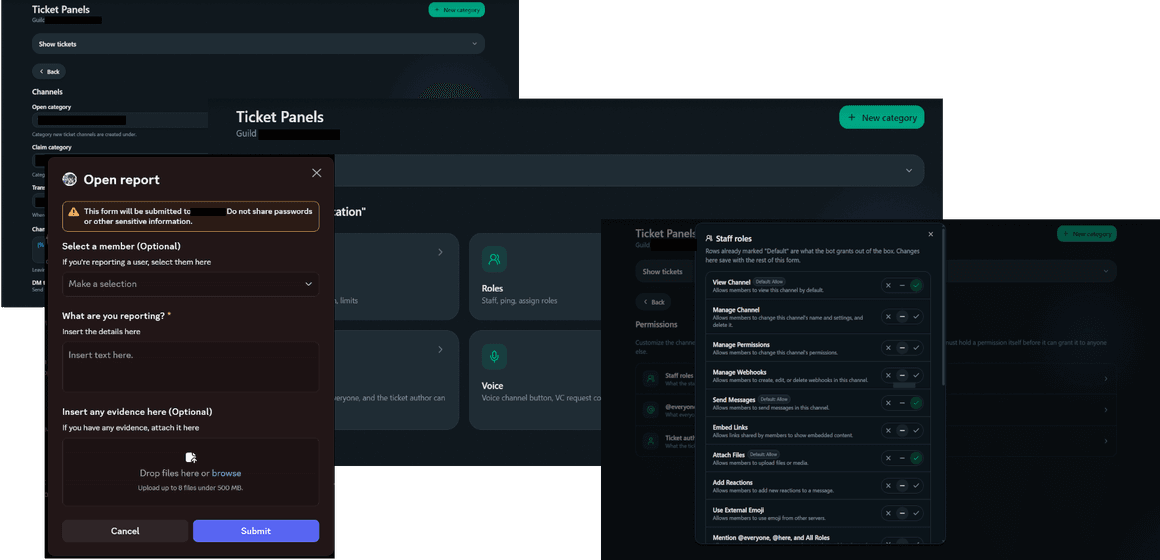
Dashboard's Tickets → Panels → New category. Match the name, staff roles and open category to what Ticket Tool had.
Rebuild the intake questions
Up to 8 typed questions (short text, long text, number, file, channel, user, role, select) per category, asked in a modal before the channel opens.
Send a new panel
Either the category's own Send panel button, or the Message builder for a custom layout.
Remove the old bot's panel
Delete or edit Ticket Tool's panel message once the new one's live, so members don't have two ways to open a ticket for the same thing.
Old transcripts stay wherever Ticket Tool archived them, migration doesn't move historical data between bots, only new tickets go through the new setup.